
October 18, 2026
ReadyTools Workspace Adds Databases and a Daily Today View
Explore how Workspace Databases organize connected records, while the Today block brings daily priorities into view alongside other Workspace tools.
Artikel lesen
Blog-Artikel
Learn what AI agents are, how Codex and Claude use models and tools, and why agentic AI has become so common.
readytools
September 21, 2026
9 Min. Lesezeit
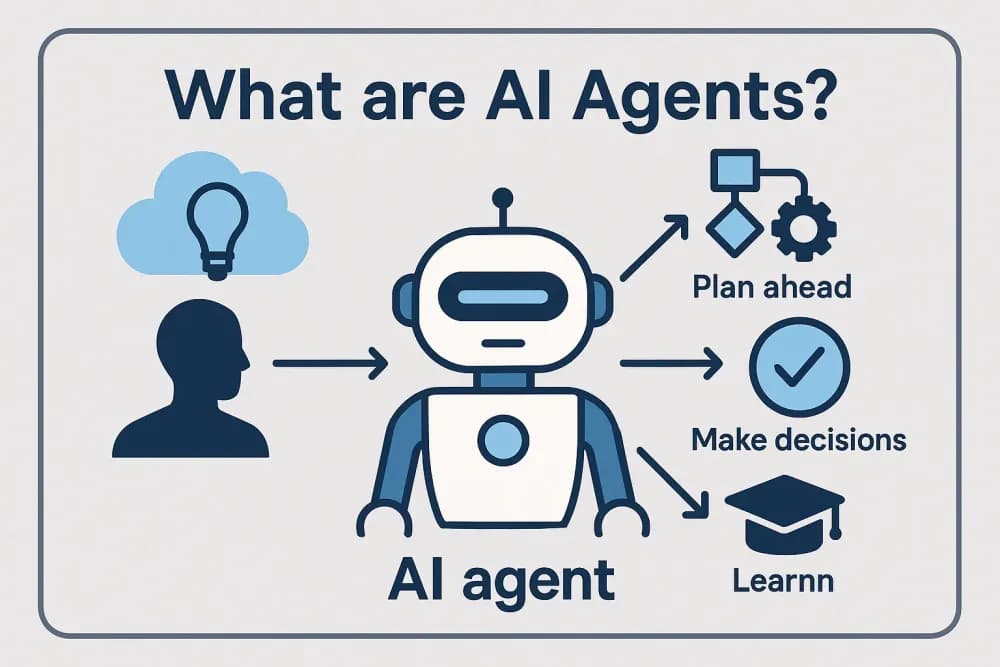
Image source: prod-assets.cosmic.aws.dev
Teilen
An AI agent is a system that uses an AI model to pursue a goal through a series of actions. Instead of answering one question and stopping, an agent can inspect information, decide what to do next, use connected tools, check the result, and continue until the task reaches a defined stopping point.
That distinction explains why names such as Codex and Claude appear so often. Claude is primarily the name of an AI model and assistant, while Codex has been used for code-focused AI models and, more recently, coding agent products. Either can participate in an agentic workflow when connected to tools, files, software environments, or other systems.
An AI agent combines four basic elements:
A chatbot might answer, “Here is an example of a Python function.” An agent might receive a request to fix a failing test, inspect the project files, identify a likely cause, edit the code, run the tests, review the error output, and revise the change. The agent is not simply producing text. It is taking steps in an environment.
The word “agent” does not necessarily mean that a system operates independently or without limits. Permissions, approval requests, time limits, tool restrictions, and human review can all be part of the design.
Most agentic systems follow a repeated loop. The exact implementation varies, but the overall pattern is straightforward:
In simplified pseudocode, the process looks like this:
goal = receive_request()
context = gather_relevant_information()

while task_is_not_complete:
    action = model.choose_action(goal, context)
    result = execute_allowed_action(action)
    context = update_context(context, result)

return final_result
This example leaves out many engineering details. A production system may add authentication, permission checks, logging, retries, error handling, tool-specific rules, and a maximum number of steps. Those controls matter because an agent can make a mistake repeatedly if nothing limits its actions.
These terms are related, but they describe different layers:
The boundaries are not perfectly fixed. A product may call itself an assistant even when it uses tools, or an agent even when human approval is required for every significant action. The useful question is not the label. Ask what the system can actually do after producing its first answer.
Claude is an AI model and assistant family developed by Anthropic. At a basic level, Claude receives an input context, predicts a useful continuation based on patterns learned during training, and returns text or another supported response. The context can include a conversation, instructions, documents, and, depending on the application, results returned by tools.
On its own, a language model generates responses. In a tool-using workflow, an application can give the model a list of available operations. The model can then request an operation, such as searching a connected knowledge base or running a calculation. The application executes that request and sends the result back into the conversation. Claude can use the new information to produce an answer or decide whether another action is needed.
A simplified example might look like this:
In that example, Claude supplies language understanding and decision-making within the workflow. The application supplies access to the tracker and controls what the model is allowed to do. This separation is essential: a model cannot inspect a private system merely because a user mentions it in a message.
Codex has commonly referred to code-focused AI systems from OpenAI. The name has also been used for coding-oriented products and agents, so the exact capabilities depend on the version and product being discussed.
A coding agent built around a Codex-style model follows the same general loop as other agents, but the working environment is a software project. A typical task could involve:
The valuable part is not that the model can produce code snippets. Many language models can do that. The agentic part is the connection between the model and the project environment, including the ability to inspect files and receive feedback from tools such as a test runner.
That connection also creates limits. A coding agent can misunderstand the intended behavior, overlook an edge case, make a change in the wrong location, or interpret a passing test as proof that the entire feature is correct. Code review and tests remain necessary, especially when a change affects data, authentication, payments, or other sensitive behavior.
Several developments arrived at the same time.
Earlier systems were often judged mainly by the quality of a single response. As models became better at following instructions, working with longer context, producing structured outputs, and revising their work, applications could place them inside longer workflows.
A model that can only write text has limited reach. A model connected to a search system, code environment, calendar, database, or business application can help complete a task. Tool use turns a response into an operation, although the application still needs to enforce permissions and validate results.
Developers now have more established patterns for sending tool descriptions to models, receiving structured tool calls, returning results, and managing the next step. That reduces the work required to turn a general-purpose model into a task-specific system.
People may not need to learn a specialized programming language to request a multi-step task. A natural-language instruction can describe the desired outcome, while the application handles the intermediate actions. This makes agentic behavior visible in ordinary software rather than only in research demonstrations.
These changes do not mean that agents understand tasks like people do. They mean that the surrounding software can give a capable model access to relevant context and controlled actions.
Agents are most useful when a task has a clear goal, accessible information, repeatable steps, and a way to check progress. Examples include:
They are less reliable when the goal is vague, the necessary information is missing, success is difficult to measure, or a wrong action has serious consequences. “Handle this problem” is not a useful agent specification unless the system also knows what counts as a correct result and which actions are permitted.
Agentic systems add capability, but they also add more ways to fail.
Useful safeguards include limiting permissions, separating read and write operations, requiring approval for consequential actions, recording tool activity, testing failure cases, and giving the system a clear stopping condition. Human review is particularly important when an agent can send messages, change records, publish content, spend money, or modify production systems.
Do not judge an agent only by how polished its final response sounds. Evaluate the complete workflow:
This model-versus-agent distinction is useful when comparing AI products on ReadyTools or anywhere else. A strong chat response does not automatically indicate a strong autonomous workflow, and an agent with many tools is not necessarily better than one with a narrower, well-controlled job.
The simplest definition to remember is this: an AI model generates responses, while an AI agent uses a model in a loop of decisions and actions to accomplish a goal. Claude, Codex, and similar systems can serve as the reasoning component, but the surrounding tools, permissions, checks, and human oversight determine what the resulting agent can safely do.
Entdecke ReadyTools: die ultimative Produktivitätssuite für Creator. Wunderschöne Linksy-Seiten, smarte Lara-KI, Projektmanagement, sicherer Cloud-Speicher und alles andere, was du brauchst – vereint an einem Ort. Starte noch heute deine 7-tägige kostenlose Testphase.
ReadyTools erkundenInhaltsverzeichnis
Weiterlesen
October 18, 2026
Explore how Workspace Databases organize connected records, while the Today block brings daily priorities into view alongside other Workspace tools.
Artikel lesen

October 11, 2026
Learn how to add a Canvas block in ReadyTools, sketch ideas, build diagrams with Lara, embed files, collaborate, and export your work.
Artikel lesen

October 6, 2026
the platform has continued moving from individual API endpoints toward something much closer to the infrastructure we originally wanted to build.
Artikel lesen