
October 18, 2026
ReadyTools Workspace Adds Databases and a Daily Today View
Explore how Workspace Databases organize connected records, while the Today block brings daily priorities into view alongside other Workspace tools.
Artikel lesen
Blog-Artikel
Plus and Max members, every single color palette on ReadyTools.co now comes with 7 powerful built-in tools: harmony scores, smart expansions, perfect UI ro
readytools
March 2, 2026
5 Min. Lesezeit
Image source: readytools.co
Teilen
Hey friend,
You open a palette, love the colors… but then comes the real work: finding matching accents, checking contrast, building dark mode, creating gradients, assigning UI roles, and packaging everything for Figma or code.
We heard you loud and clear.
So at ReadyTools.co we just added seven brand-new smart color tools that now live directly under every single palette page. They’re powered by precise color math (golden ratio, luminance calculations, HSL geometry, contrast ratios — the classics done right).
And the best news? Anyone can try the full set completely free for 7 days.
Let’s walk through exactly what’s new and why your workflow is about to feel way smoother.
Palette Harmony Engine
Drop any palette and our color-theory engine instantly shows:
No more second-guessing. You know in seconds if the palette is rock-solid or needs a tiny tweak.
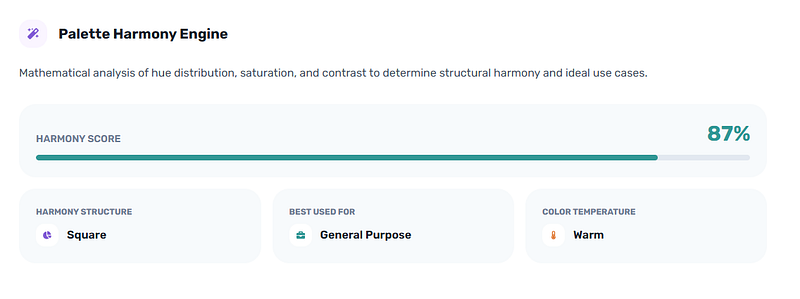 Instant Harmony Score & Smart Insights
Palette Expander
Start with 4–5 colors and let our automatic golden-ratio + triadic engine generate up to 6 new harmonious accents that seamlessly complement your originals.
It keeps everything perceptually distinct, sorts by lightness, and lets you copy the full extended palette in one click. Designers are already saving hours on this step.
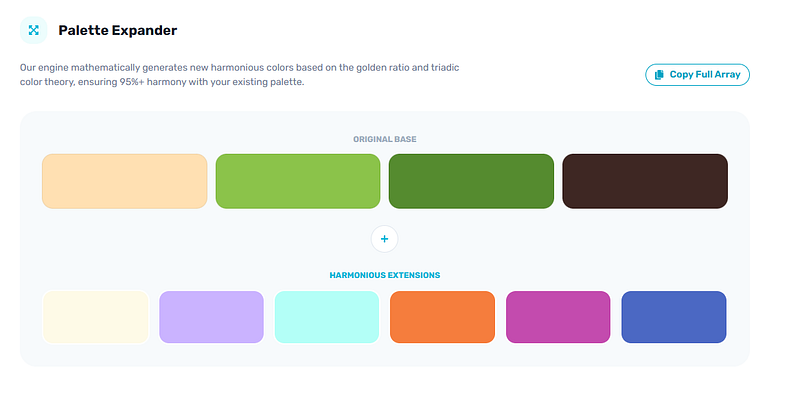 Expand Your Palette with Perfect Accents
Smart Role Matrix
This one feels like magic for both designers and devs.
Choose light or dark mode, pick minimal / professional / bold preset, and the engine instantly assigns:
You get a live dashboard preview that updates instantly as you switch presets. It’s the fastest way to go from raw palette to ready-to-use UI foundation.
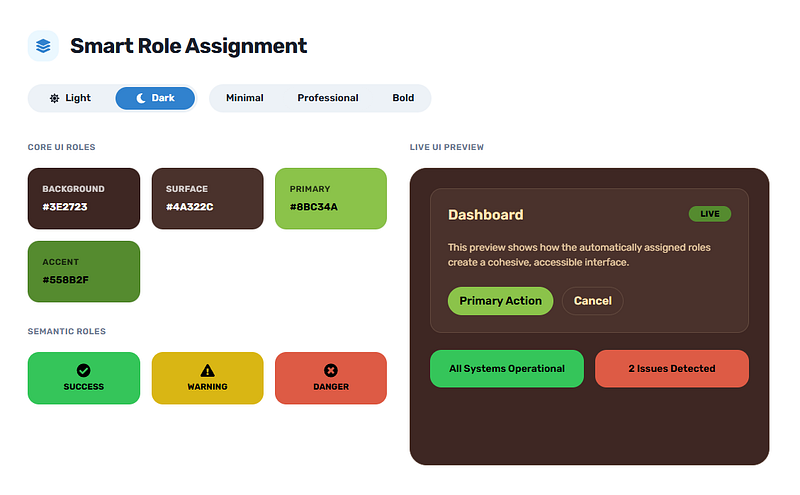 Automatic UI Roles for Light & Dark Mode
Palette Relationship Map
Accessibility used to be a chore. Now it’s one glance.
The interactive matrix shows the exact contrast ratio for every background/text combo with clear AAA / AA / large-text / fail badges.
It also highlights your top legibility pairs and spots the perfect complementary duo if one exists. Beautiful + inclusive in seconds.
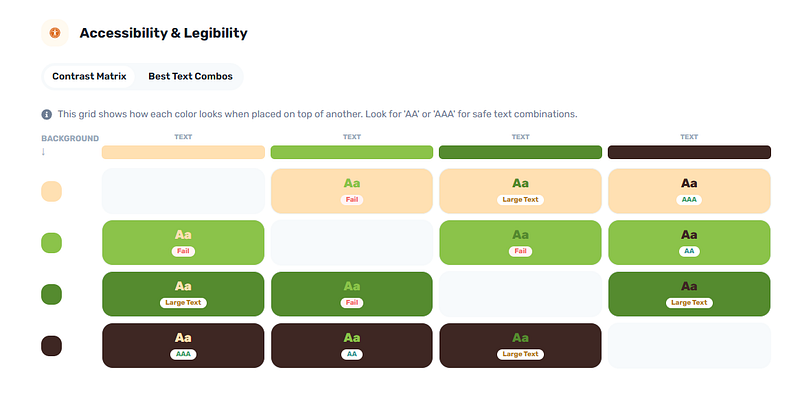 Full WCAG Contrast Matrix + Best Pairs
Palette Theme Transformer
Made a killer light palette? Tap one button and we instantly generate the perfectly balanced dark version (and vice versa).
Saturation gets a smart boost in the mid-tones so nothing looks flat. Side-by-side swatches plus mini live previews of both themes. Design once, ship twice.
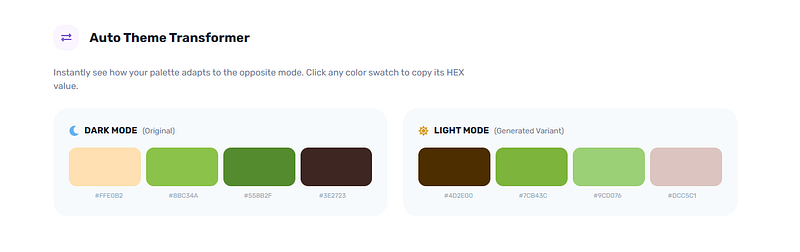 Light ↔ Dark Theme Transformer
Palette Gradient Blender
Stop guessing which colors blend well. This engine creates every possible pair and sorts them into three beautiful categories: subtle, vibrant, and dramatic.
Click any gradient to copy the exact CSS or Tailwind code. Filter by mood in one tap. Your hero sections and buttons just leveled up.
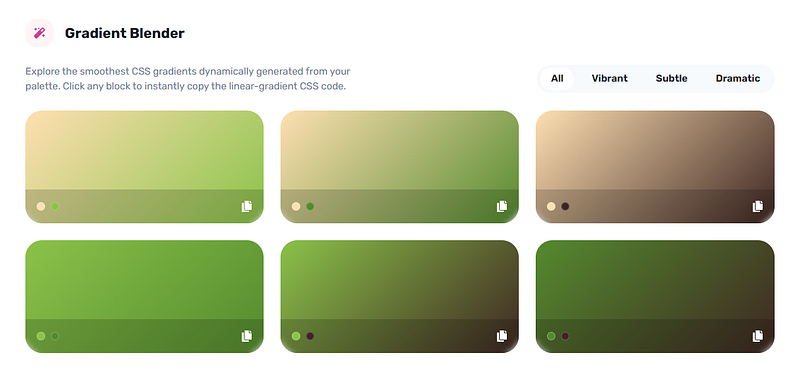 Ready-to-Copy Matching Gradients
Palette Export Pack
One click and you get a zip containing:
Everything is pre-configured. Unzip and start building immediately.
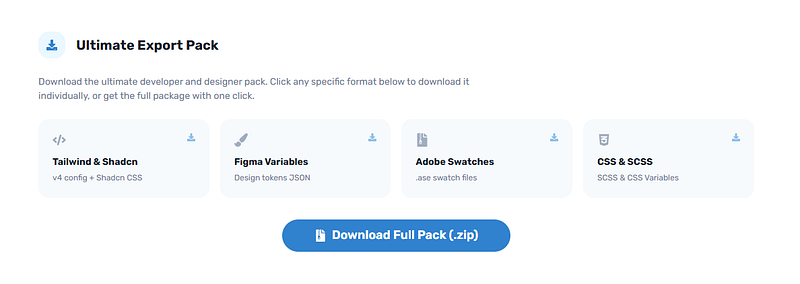 Complete Developer Export Pack
We kept everything clean and fast.
A smooth sticky navigation bar lets you jump between Harmony → UI Roles → Accessibility → Gradients → Export without losing your flow. Everything runs instantly in your browser — no loading spinners, no extra tabs.
And yes — these tools now appear under every color palette on ReadyTools for Plus and Max members.
Plus and Max subscribers only.
Free users still get our beautiful palette viewer, SVG exports, spec posters, and basic downloads — which are already stronger than most dedicated tools.
But the moment you upgrade (or start your free trial), these seven precision engines unlock instantly on every palette.
We’re so confident these will change how you work with color that we made testing ridiculously easy.
Just go to any palette page, hit the “Try for 7 days free” button, and the full toolkit appears.
And remember — your ReadyTools subscription isn’t just about these powerful color tools. It gives you the entire ecosystem: Linksy for smart link-in-bio pages, Notes for your smart notebook, Boardly for visual project boards, Vault for secure file storage, Lara our helpful AI assistant, 185+ practical web tools — all in one simple monthly plan.
Whether you’re building your next SaaS product, refreshing a brand identity, or just want palettes that actually work in real projects, these new tools are built to save you hours every single week.
Click below, open any palette, and start your 7-day free trial right now.
We can’t wait to see what you create.
— The ReadyTools team
P.S. If you’re already a Plus or Max member, just refresh any palette page and the new tools will appear instantly. Go play — you’re going to love how much faster this feels.
Start your free 7-day trial → readytools.co/color-palette/
(Or search any color on the site — the new tools are waiting for you.)
Entdecke ReadyTools: die ultimative Produktivitätssuite für Creator. Wunderschöne Linksy-Seiten, smarte Lara-KI, Projektmanagement, sicherer Cloud-Speicher und alles andere, was du brauchst – vereint an einem Ort. Starte noch heute deine 7-tägige kostenlose Testphase.
ReadyTools erkundenInhaltsverzeichnis
Weiterlesen
October 18, 2026
Explore how Workspace Databases organize connected records, while the Today block brings daily priorities into view alongside other Workspace tools.
Artikel lesen

October 11, 2026
Learn how to add a Canvas block in ReadyTools, sketch ideas, build diagrams with Lara, embed files, collaborate, and export your work.
Artikel lesen

October 6, 2026
the platform has continued moving from individual API endpoints toward something much closer to the infrastructure we originally wanted to build.
Artikel lesen