
October 18, 2026
ReadyTools Workspace Adds Databases and a Daily Today View
Explore how Workspace Databases organize connected records, while the Today block brings daily priorities into view alongside other Workspace tools.
Leer artículo
Artículo de blog
Chromo turns a single HEX color into palettes, formats, accessibility checks, psychology, gradients, and code for design and development.
readytools
January 3, 2026
4 min de lectura
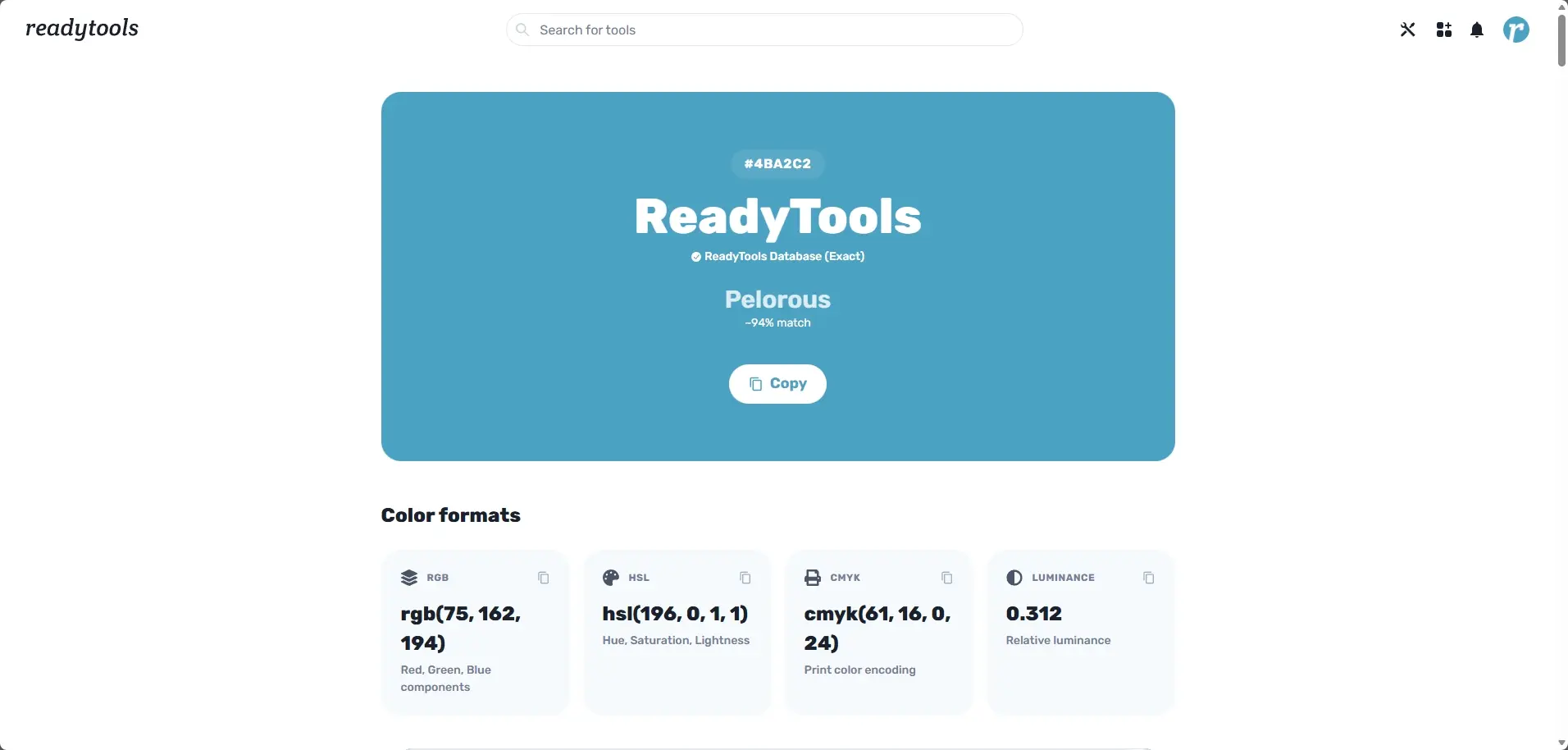
Image source: readytools.co
Compartir
Colors are everywhere in digital products, but most tools treat them as isolated values. A HEX code here, an RGB value there, maybe a quick palette if you’re lucky.
Chromo was built to change that.
Chromo is a color intelligence tool that starts with a single HEX color and expands it into a complete system for design, development, accessibility, branding, and print.
Not random generation.
Not guesses.
Just structured color data, fully connected.
Everything in Chromo begins with one real color.
You enter a HEX code or a color name, and Chromo treats that color as data. From that single input, it builds everything else in a consistent and reliable way.
This makes Chromo fundamentally different from traditional color pickers or palette generators. Instead of creating new colors, Chromo analyzes, expands, and contextualizes the color you already chose.
Chromo identifies your color across multiple databases and naming systems.
You get:
Exact color name matches
Closest color names with confidence percentages
Clear separation between exact and approximate matches
Instant copy for HEX and identifiers
This is especially useful for branding, design systems, and team discussions where naming consistency matters.
Chromo converts your color into all major formats instantly:
HEX
RGB and RGBA
HSL
CMYK for print
OKLCH for modern CSS
LAB, LCH, and XYZ
Android ARGB
Swift UIColor
Decimal values
You also get production ready outputs:
CSS and SCSS variables
Tailwind config entries
React Native styles
SwiftUI colors
Full JSON color data
This removes friction between design and development workflows.
Chromo generates full color variation systems:
Shades for darker UI states
Tints for lighter surfaces
Tones for reduced saturation
Each variation is scrollable, clickable, and copyable. You can copy individual HEX values or entire lists at once, making it ideal for building real UI color scales.
Chromo calculates real color harmonies:
Complementary
Analogous
Triadic
Split complementary
Every harmony color is instantly copyable.
On top of that, Chromo builds intelligent palettes for real use cases:
Modern UI and monochrome systems
Marketing and vibrant palettes
Natural and harmonious palettes
Trend driven pop art combinations
These are designed for actual products, not just visual exploration.
Instead of guessing how a color might look, Chromo shows it in context.
You can preview:
Typography and readability
Buttons, alerts, badges, and cards
UI components and states
Mobile interfaces
Product mockups
Data visualizations
This helps validate contrast, usability, and visual impact before shipping.
Accessibility is part of Chromo’s core.
It checks:
WCAG contrast ratios
Performance on white and black backgrounds
Small text and large UI text
Clear pass or fail indicators
Chromo also includes color blindness simulation for:
Protanopia
Deuteranopia
Tritanopia
Monochrome vision
Accessibility becomes a design decision, not an afterthought.
Chromo analyzes colors beyond aesthetics.
It surfaces:
Emotional and psychological signals
Cultural associations
Dominant visual vibe
Symbolic meanings
Recommended industries
Potential negative effects when relevant
This gives designers and brand builders real context, not just positive marketing language.
Chromo includes a full color laboratory:
Adjust lightness, saturation, hue, and temperature
Blend colors using precise ratios
See base color, mix color, and result instantly
Copy every output value
This supports experimentation without breaking consistency.
Chromo bridges digital and physical color usage.
You get:
Physical paint mixing guidance for artists
CMYK ink breakdowns for print
Explanation of subtractive color mixing
It also exposes scientific color properties:
Wavelength
Frequency
Energy level
Color temperature
Luminance
Color is treated as both a visual and physical phenomenon.
Chromo compares your color against real world systems:
Tailwind CSS
Google Material
CSS color names
Apple system colors
Pantone
RAL
Copic markers
Exact and closest matches are shown with confidence values, making Chromo useful for both digital and print workflows.
From a single color, Chromo generates:
Linear gradients
Mesh and aurora styles
Conic and radial gradients
Duotone and artistic noise textures
All gradients are production ready CSS.
You can also export:
CSS and SCSS variables
Tailwind config
React Native styles
SwiftUI colors
Full JSON data
One color, multiple platforms, zero friction.
Chromo does not generate colors.
It expands them.
One HEX code becomes a complete system covering design, development, accessibility, psychology, branding, and print.
And Chromo is available as a free tool on ReadyTools.
We built Chromo because this is how color tools should work.
Descubre ReadyTools: la suite de productividad definitiva para creadores. Hermosas páginas de Linksy, la IA inteligente de Lara, gestión de proyectos, almacenamiento seguro en la nube y todo lo que necesitas, todo junto. Comienza tu prueba gratuita de 7 días hoy mismo.
Explorar ReadyToolsTabla de Contenidos
Sigue leyendo
October 18, 2026
Explore how Workspace Databases organize connected records, while the Today block brings daily priorities into view alongside other Workspace tools.
Leer artículo

October 11, 2026
Learn how to add a Canvas block in ReadyTools, sketch ideas, build diagrams with Lara, embed files, collaborate, and export your work.
Leer artículo

October 6, 2026
the platform has continued moving from individual API endpoints toward something much closer to the infrastructure we originally wanted to build.
Leer artículo