
October 2, 2026
Turn a Screenshot Into an iPhone Mockup With ReadyTools Web Assistant
Capture a webpage, place the screenshot in an iPhone frame, adjust the scene, and export a polished image or animation from one browser extension.
Read article
Blog article
Create stunning OG images with ReadyTools OG Image Builder! Free, customizable, and optimized for social media. Boost clicks and SEO with vibrant visuals i
readytools
July 13, 2025
7 min read
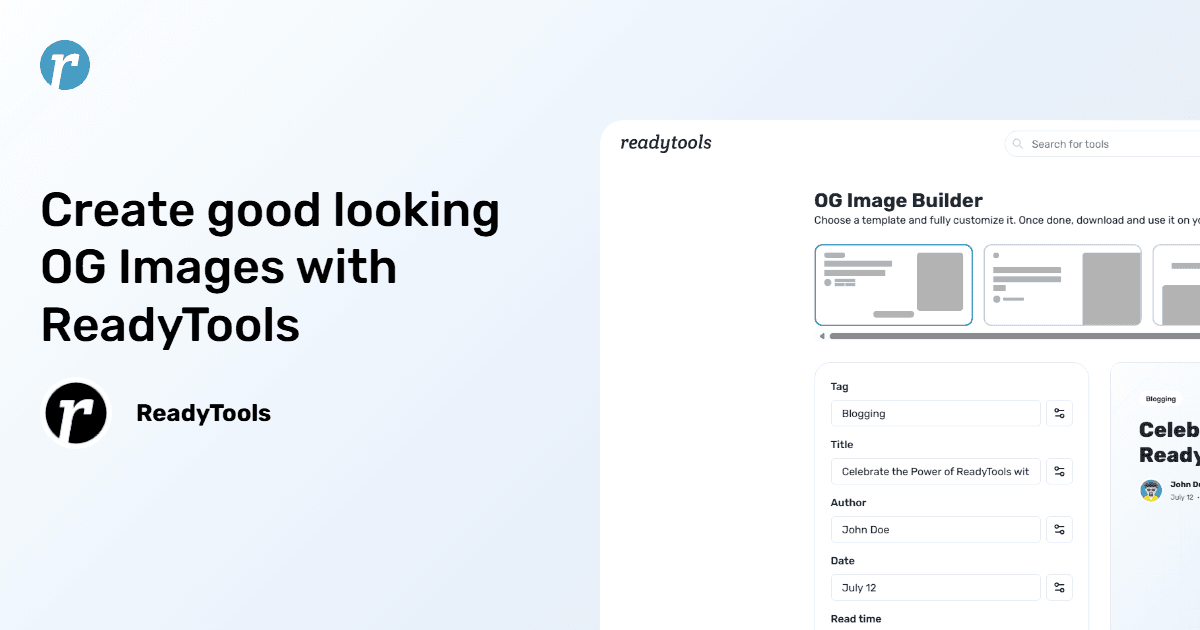
Image source: vault.readytools.co
Share
Hey there, content creators and digital enthusiasts! If you’ve ever shared a link on Facebook, Twitter, LinkedIn, or X and been disappointed by a lackluster preview image, you know the struggle is real. A boring or mismatched thumbnail can tank your click-through rates and make your content blend into the social media noise. Enter ReadyTools OG Image Builder, a free, intuitive tool that’s here to help you create stunning Open Graph images that grab attention and elevate your brand. In this post, we’ll dive deep into why this tool is a must-have for anyone looking to boost their social media presence, how it works, and why it’s perfect for your blog, e-commerce site, or marketing campaigns. Let’s get started!
Picture this: you share a blog post or product page on X, and instead of a vibrant, clickable image, you get a random logo or—yikes—nothing at all. That’s where Open Graph images (OG images) come in. These are the custom thumbnails that social media platforms pull from your website’s metadata to create a preview when you share a link. They’re like the front door to your content—inviting, bold, and crucial for making a first impression.
Why do they matter? Because visuals drive engagement. Posts with compelling images can see up to 2.3 times more interaction on platforms like Facebook, according to social media studies. A well-crafted OG image doesn’t just look good—it reinforces your brand identity, communicates your message, and entices users to click through to your website. It’s also a sneaky SEO win: engaging visuals lead to more shares, more clicks, and more time on your site, all of which signal relevance to search engines. Without a custom OG image, you’re leaving your link’s first impression up to chance. Not cool.
ReadyTools OG Image Builder is a free online tool designed to make creating OG images a breeze, whether you’re a blogger, small business owner, or digital marketer. Here’s why it’s become a go-to for crafting social media previews that pop:
No subscriptions, no hidden fees, no watermarks—ReadyTools OG Image Builder is 100% free. You can create unlimited OG images without signing up or jumping through hoops. For freelancers, startups, or anyone watching their budget, this is a huge win. You get professional-grade visuals without spending a dime.
Your brand has a unique style, and ReadyTools lets you bring it to life. You can tweak colors, fonts, backgrounds, and even add your logo or custom images to create OG images that scream you. Want a sleek, minimalist look for your tech blog? Done. Need a bold, colorful vibe for your e-commerce products? Easy. The tool gives you full control to ensure every image aligns with your brand identity.
ReadyTools defaults to the recommended OG image size of 1200x630 pixels, so your visuals look sharp and uncropped on Facebook, Twitter, LinkedIn, X, and even Discord. No more worrying about stretched or pixelated thumbnails—just crisp, professional previews that stand out in crowded feeds.
The drag-and-drop interface is a dream. Even if you’ve never touched a design tool, you’ll be whipping up OG images like a pro in minutes. Start with a template, switch your texts, upload an image, tweak the colors, and download. It’s straightforward, fast, and fun—perfect for busy creators who need results without the hassle.
A killer OG image isn’t just about aesthetics—it’s a strategic move. Eye-catching visuals stop the scroll, drive clicks, and increase social media engagement. More clicks mean more traffic to your website, which can improve your SEO by signaling to search engines that your content is worth checking out. Plus, ReadyTools makes it easy to create images optimized for fast loading (keep them under 1MB!), which supports better Core Web Vitals and search rankings.
Ready to make your social media links shine? Here’s a quick guide to using ReadyTools OG Image Builder:
<meta property="og:image" content="your-image-url">. If you use WordPress, plugins like Yoast SEO or Rank Math make this super simple.Boom—you’ve got a custom OG image ready to make your links pop!
This tool is a fit for just about anyone creating content online. Here’s how different folks can put it to work:
For instance, a small business selling handmade candles could use ReadyTools to create OG images featuring their products with warm, inviting colors and a “Shop Now” CTA. A travel blogger might pair a stunning destination photo with their blog’s title to entice clicks. The possibilities are endless!
Whether you’re managing a single WordPress blog or a sprawling e-commerce site, ReadyTools OG Image Builder slots right into your workflow. It’s web-based, so there’s no software to download, and it works on any device—desktop, tablet, or even your phone. The tool’s simplicity means you can create an OG image in the time it takes to sip your coffee, leaving you free to focus on writing, selling, or strategizing.
Plus, it’s built for 2025’s social media landscape, where visuals are king. With platforms like X and LinkedIn prioritizing engaging content, a custom OG image ensures your links don’t get lost in the feed. And since it’s free, you can experiment to your heart’s content—try different designs, test CTAs, and find what resonates with your audience.
In today’s hyper-competitive social media world, standing out is tougher than ever. Users scroll through hundreds of posts in minutes, and algorithms favor content that grabs attention fast. A custom OG image is your chance to make them pause, click, and engage. Beyond the immediate boost in click-through rates, these images contribute to a stronger online presence by driving traffic, encouraging shares, and reinforcing your brand.
From an SEO perspective, the benefits are clear. More clicks and engagement signal to Google and other search engines that your content is valuable, which can improve your rankings over time. Pair that with fast-loading images (ReadyTools makes it easy to keep file sizes small) and you’re checking all the boxes for a better user experience and search performance.
If you’re ready to take your social media game to the next level, ReadyTools OG Image Builder is your new best friend. It’s free, easy, and packed with everything you need to create Open Graph images that turn heads and drive clicks. Whether you’re promoting a blog, product, or campaign, this tool makes it simple to craft visuals that leave a lasting impression.
Head over to ReadyTools OG Image Builder and start designing now. Got a favorite OG image you’ve created? Share it on X—we’d love to see your creations! Let’s make your social media links impossible to ignore.
Discover ReadyTools: the ultimate productivity suite for creators. Beautiful Linksy pages, smart Lara AI, project management, secure cloud storage, and everything else you need — all together. Start your 7-day free trial today.
Explore ReadyToolsTable of Contents
Keep reading
October 2, 2026
Capture a webpage, place the screenshot in an iPhone frame, adjust the scene, and export a polished image or animation from one browser extension.
Read article

September 30, 2026
No settings to flip.No plan changes required. If you’re already on Max, Lara is running the new model. If you use Agent mode on Plus you are getting it too
Read article
September 30, 2026
Learn how to review HTTPS, security headers, DNS and other visible website safety signals, then understand what a scan can and cannot tell you.
Read article